
IKEA Content Space
AI Image Creator
Product Type
Internal AI Platform
Launched in China
Global Rollout Soon
My Role
UIUX Design
Prompt Engineering
Front-end Prototyping
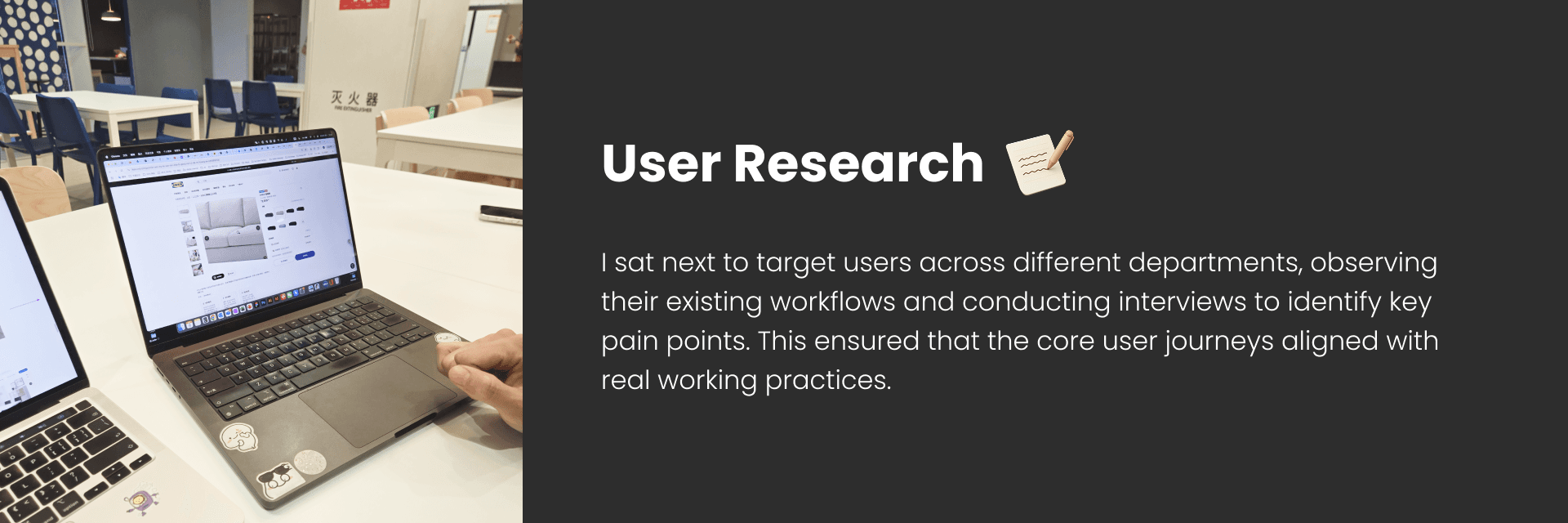
User Research
Time
3 Major Iterations
8 Weeks
With
2 Product Managers
1 AI Engineer
2 Developers
1 Scrum Master
Summary
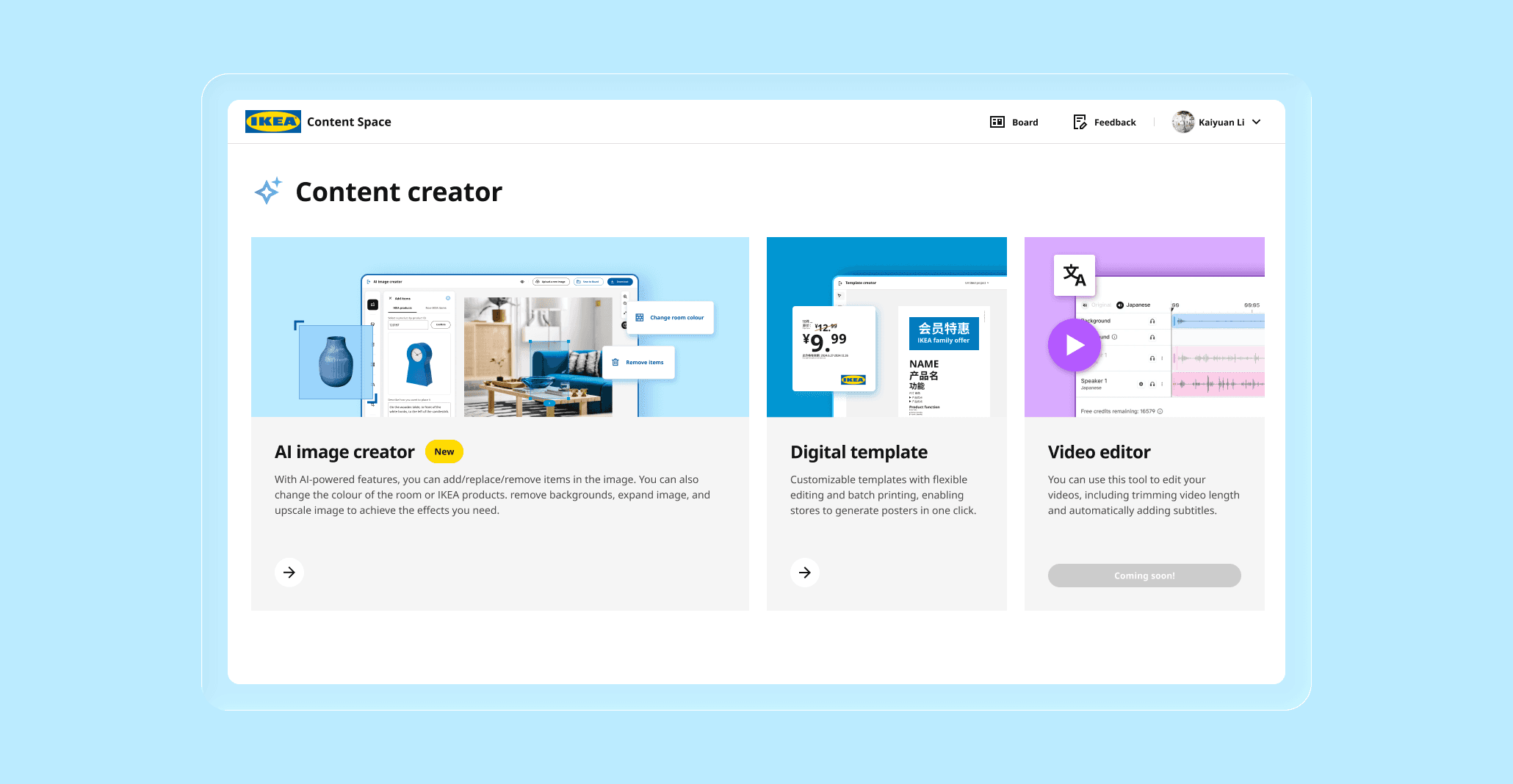
Content Space is an internal content platform developed by IKEA Digital Hub to support IKEA stores, marketing, and e-commerce teams. However, producing image assets is costly, slow to update, difficult to adapt to different countries’ advertising styles, and unable to effectively represent specific customer usage scenarios. IKEA aimed to address these challenges through AI image generation.
Within 2 months, I independently designed the AI Image Creator for Content Space from 0 to 1, including the overall workflow and features such as adding, replacing, and removing objects, modifying object and room colors, expanding, upscaling, and cropping. The AI Image Creator was launched in August 2025 and is currently available to IKEA employees in China. It will be renamed Content Genie and rolled out to Global IKEA employees in 2026.
The project is estimated to save 3000,000 USD annually in content production costs and over 70,000 working hours per year for SO and store co-workers. In addition, more customized AI-generated images have led to higher CTR and conversion rates, improving sales performance across IKEA stores and e-commerce channels.
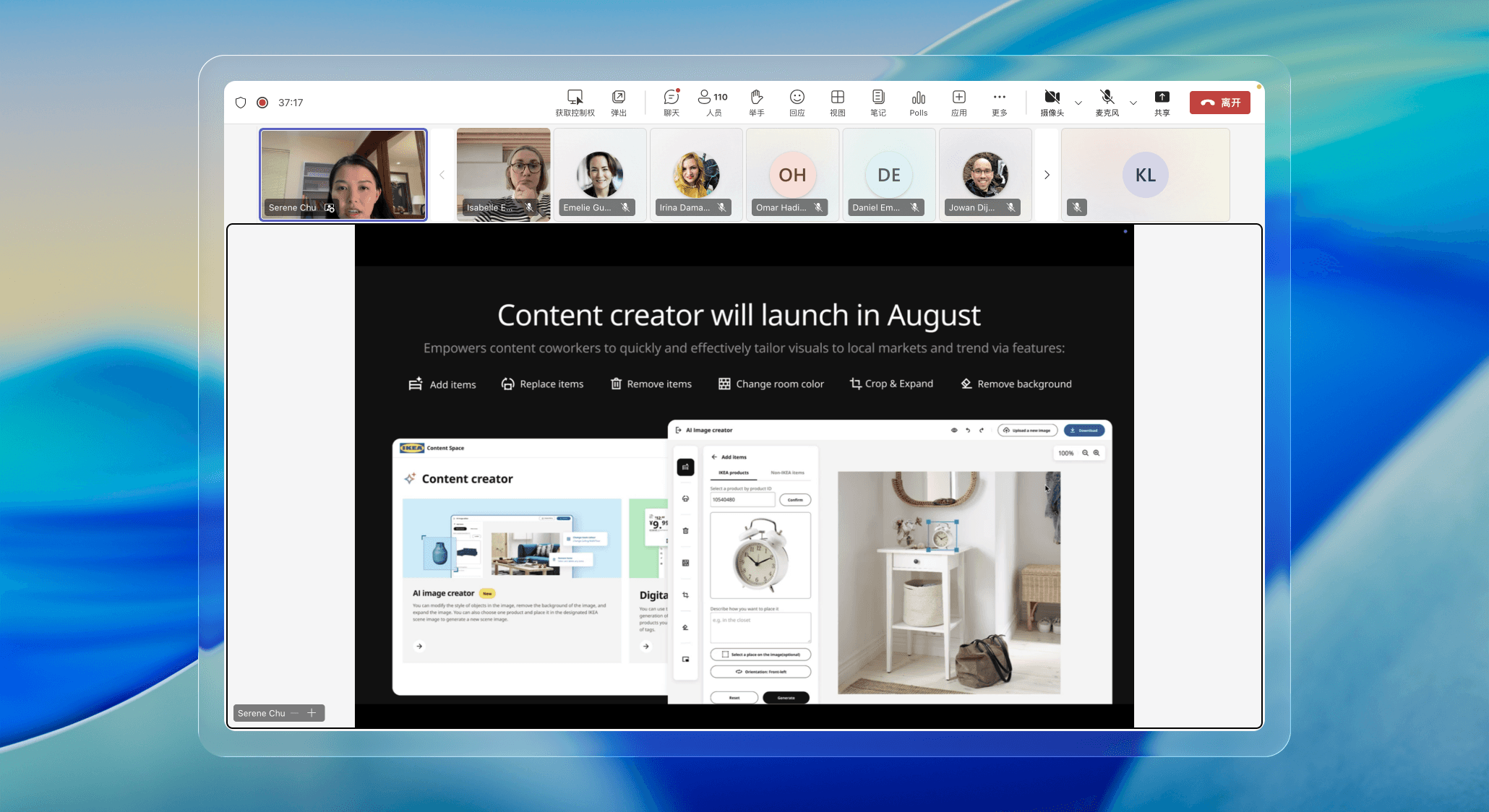
The project was showcased at IKEA’s global AI product conference and achieved strong internal visibility and organizational impact.
Design Goals
The AI Image Creator differs from consumer-facing creative GenAI platforms. It is designed for IKEA’s professional employees, enabling them to efficiently generate high-quality images at scale that comply with IKEA standards and are suitable for commercial use. The design also considers scalability, allowing new features to be integrated as AI model performance evolves in the future.
Design Process Highlights
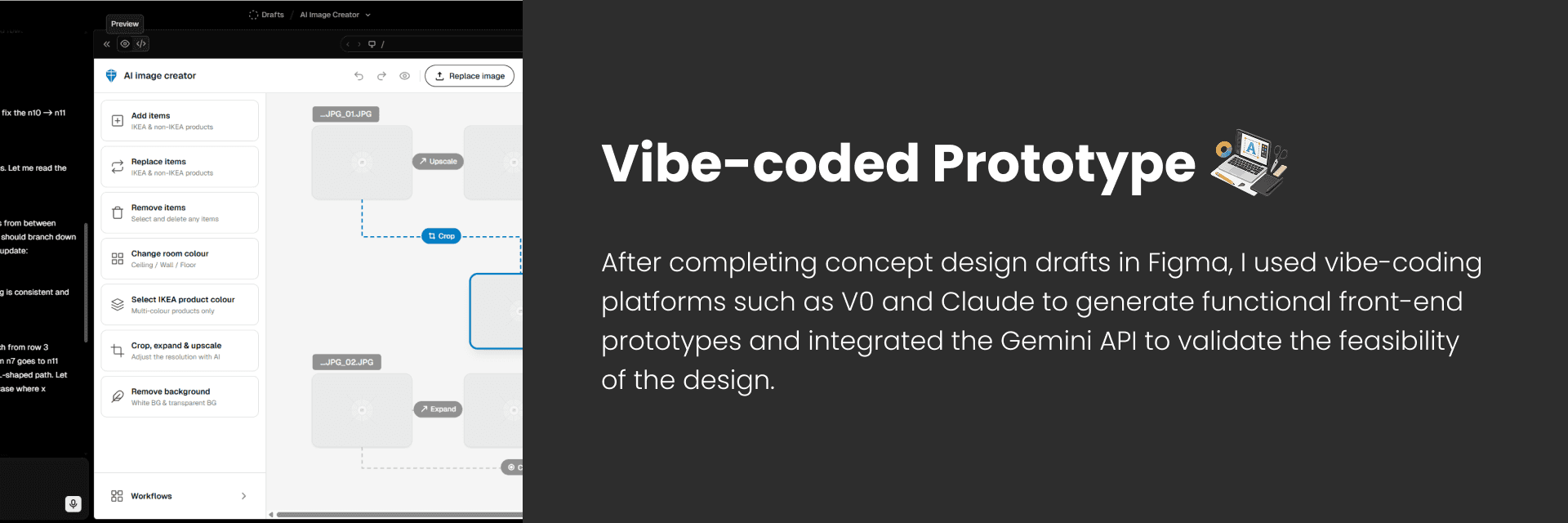
How to Improve Efficiency?
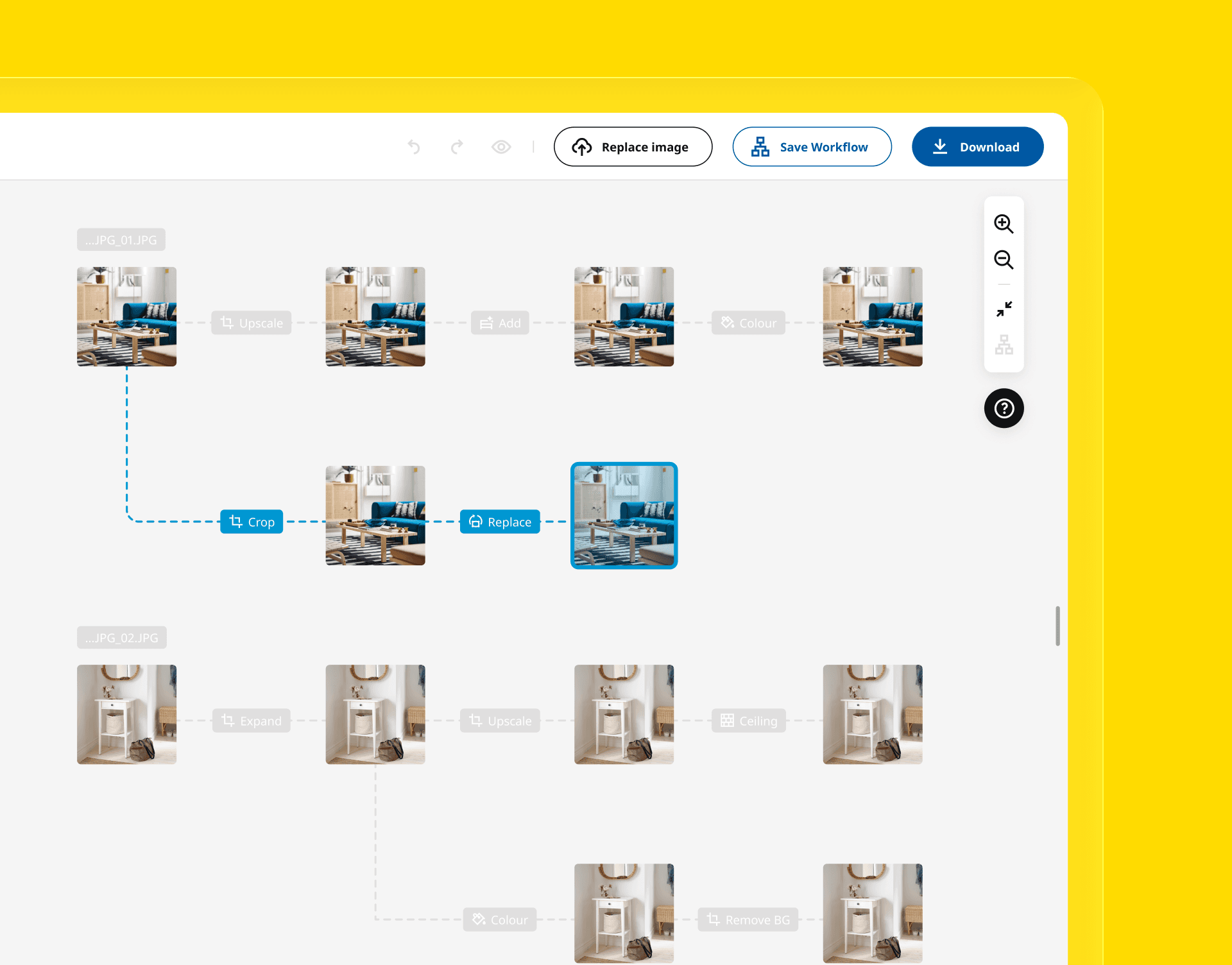
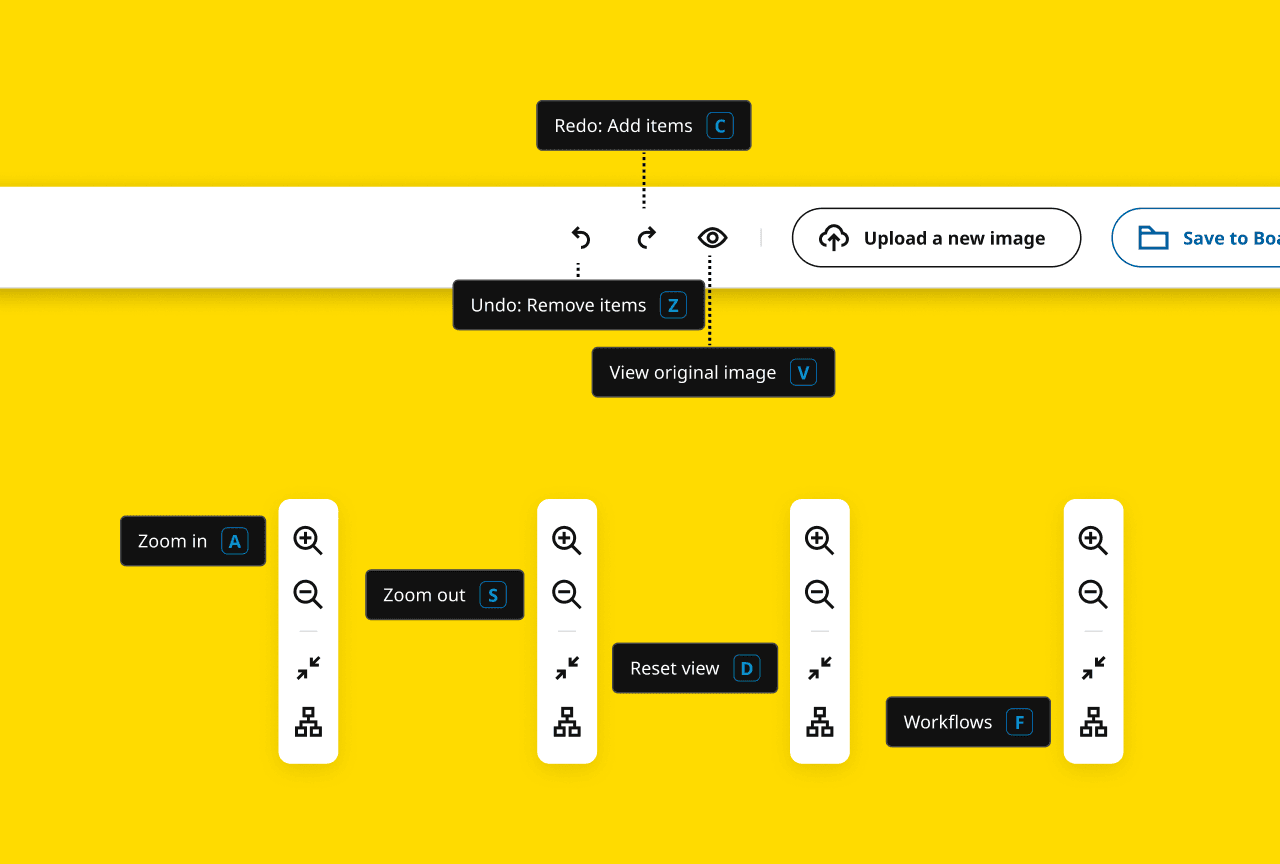
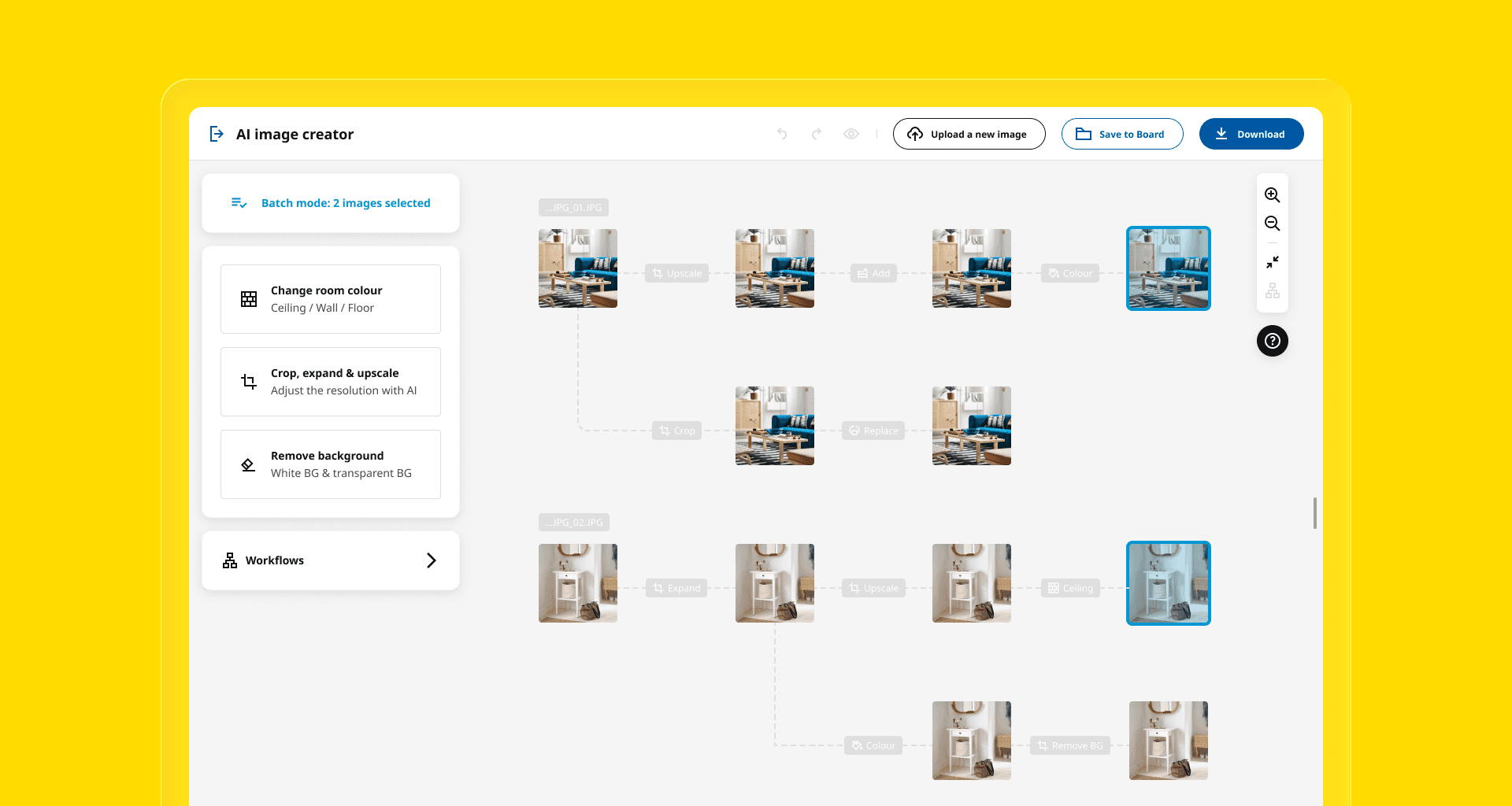
Efficiency can be reflected in both cognitive efficiency and operational efficiency. Through user research, I found that each business department has several commonly used workflows, meaning consistent sequences in how features are used. Enabling users to save and reuse previous workflows significantly reduces cognitive load. In addition, some tasks require processing large volumes of images repeatedly, so I introduced batch operations to support these scenarios. User testing also showed that well-designed keyboard shortcuts can greatly improve operational efficiency.
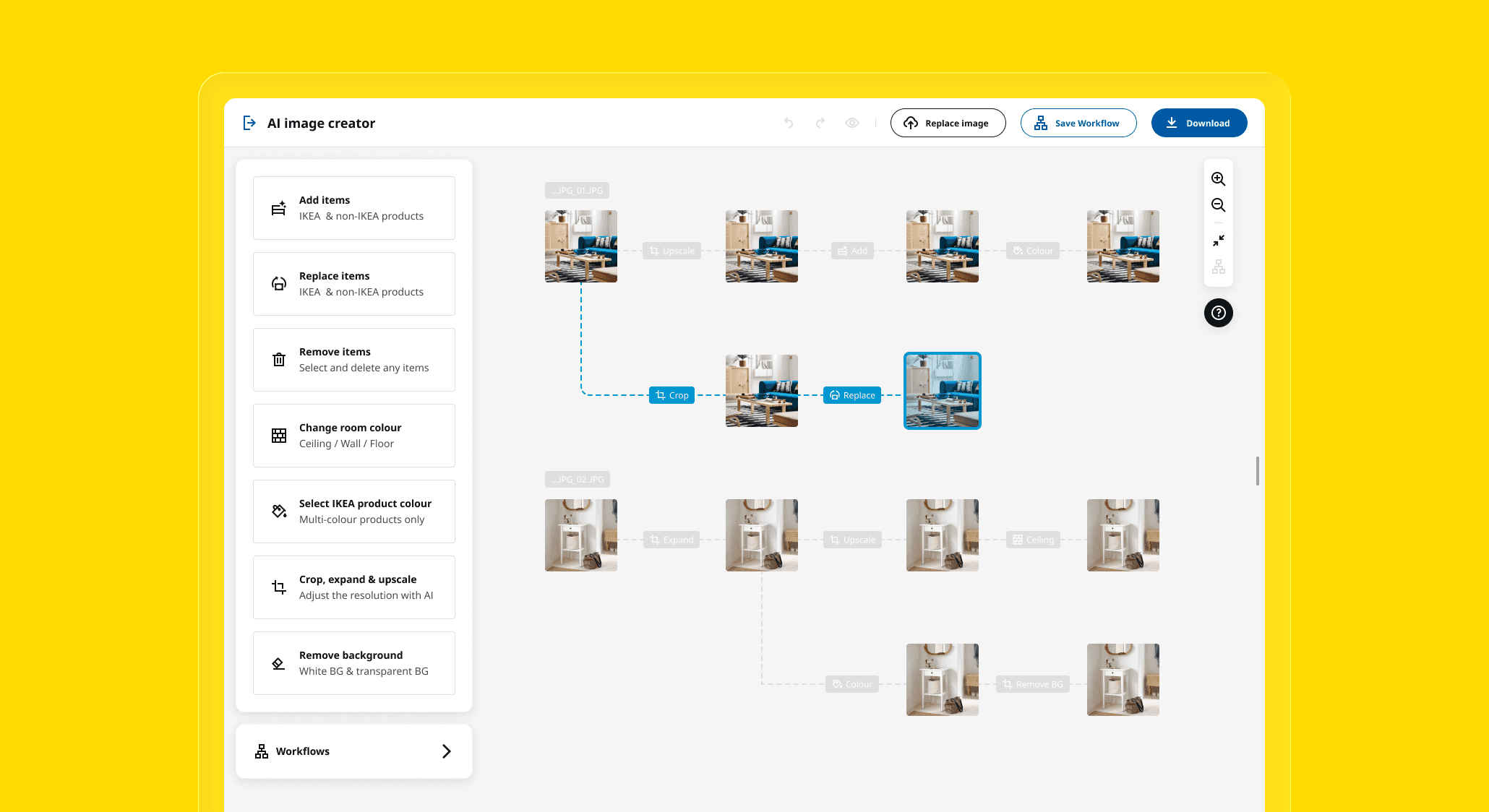
In the workflow view, double-clicking an image enters single-image editing mode. Clicking an operation node allows users to modify the operation settings. Clicking an image allows users to replace the original image or save the workflow.
Workflow
Users can use Tab to quickly switch between projects and perform common actions using ergonomically mapped keys such as ASDF and ZCV, which makes image generation as simple as playing a video game.
Shortcuts
When multiple images are selected, the left operation panel displays only the features that logically support batch actions.
Batch Mode
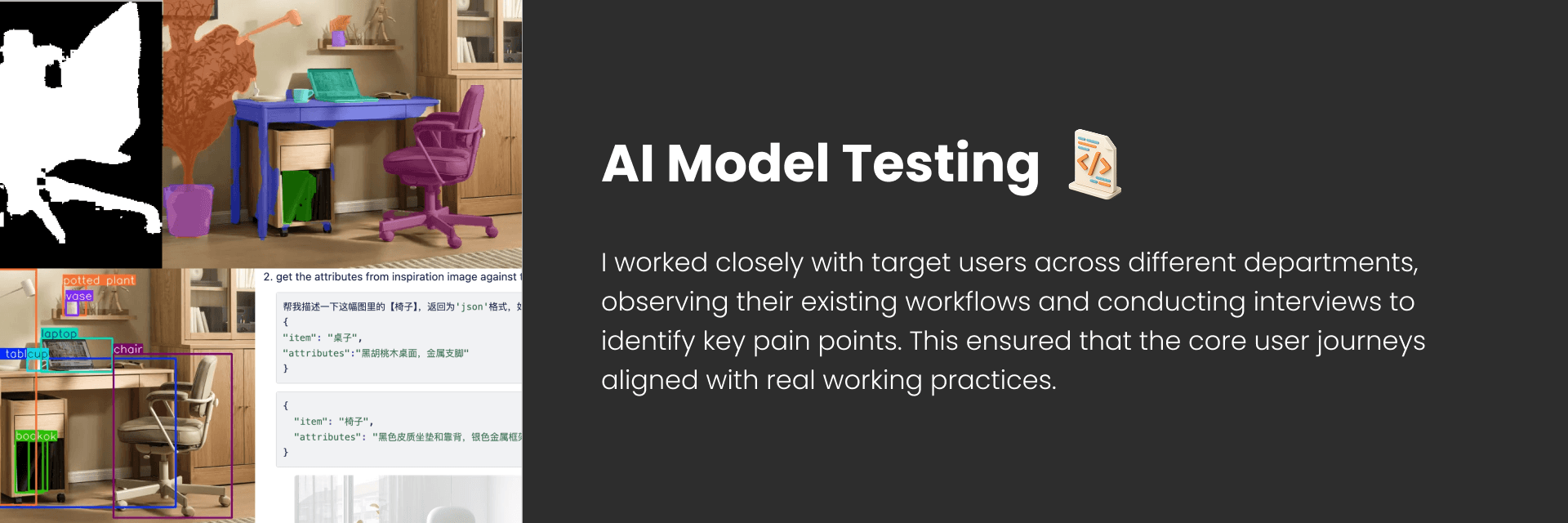
How to Improve Accuracy?
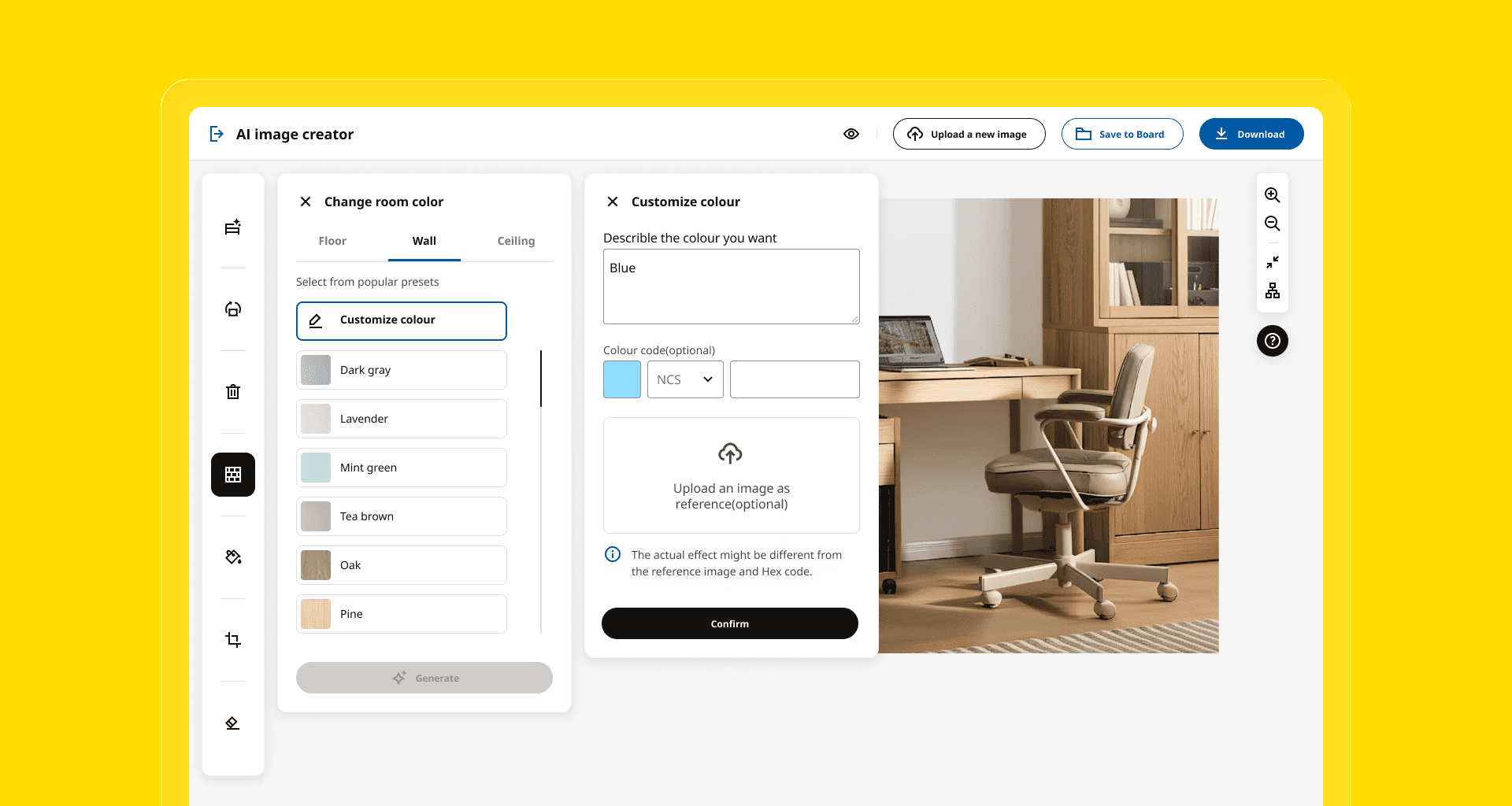
During our Gemini 2.0–based model testing, we found that the more structured the input, the more accurate the output. For this reason, I did not use a chat-based interface. Instead, I designed a solution that prioritizes UI inputs with natural language inputs as a supplement, making results more controllable. Additionally, I created UI components to reduce input complexity.
I designed a multi-level panel structure that keeps the initial panel clean and streamlined, while providing rich input controls in the subsequent levels.
Multi-level Panel
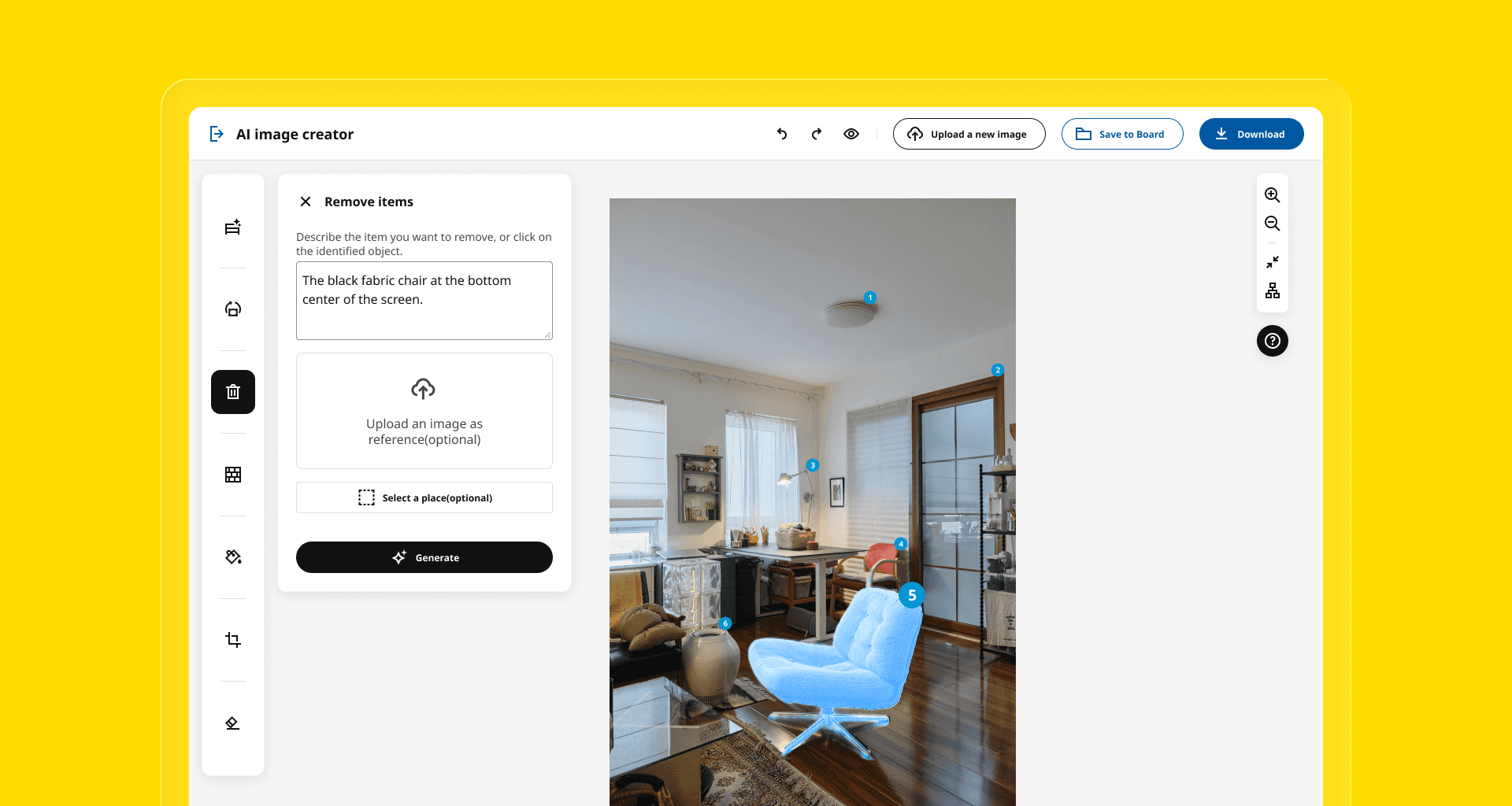
To reduce user input effort, furniture items are automatically detected and tagged after an image is uploaded. Users can quickly select or switch items by clicking on the tags.
Item Tag
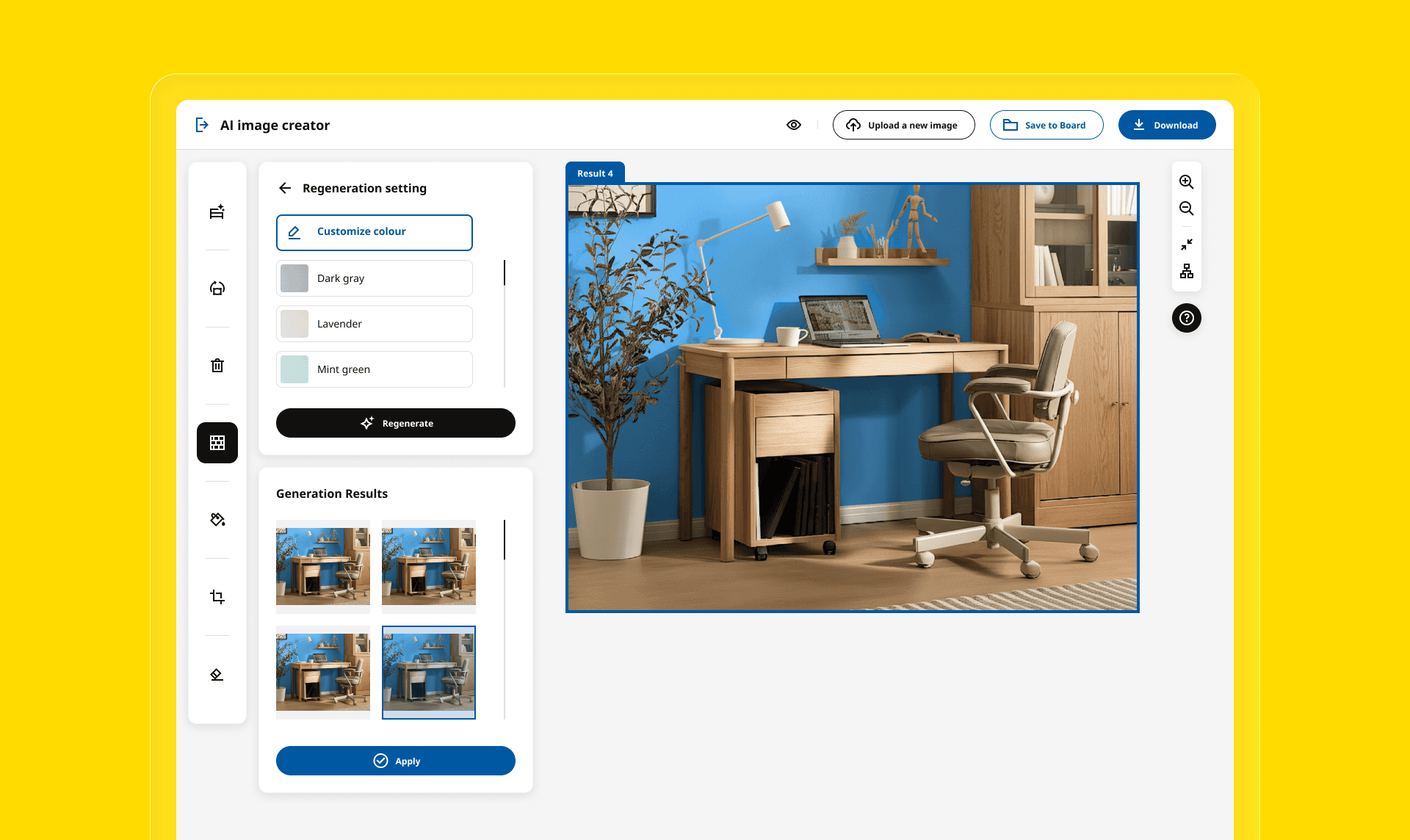
To increase the success rate , every user action generates four alternatives, enabling quick comparison without restarting the process. Users can select one alternative for further generation.
Multiple Alternatives
How to Make Features Easy to Understand?
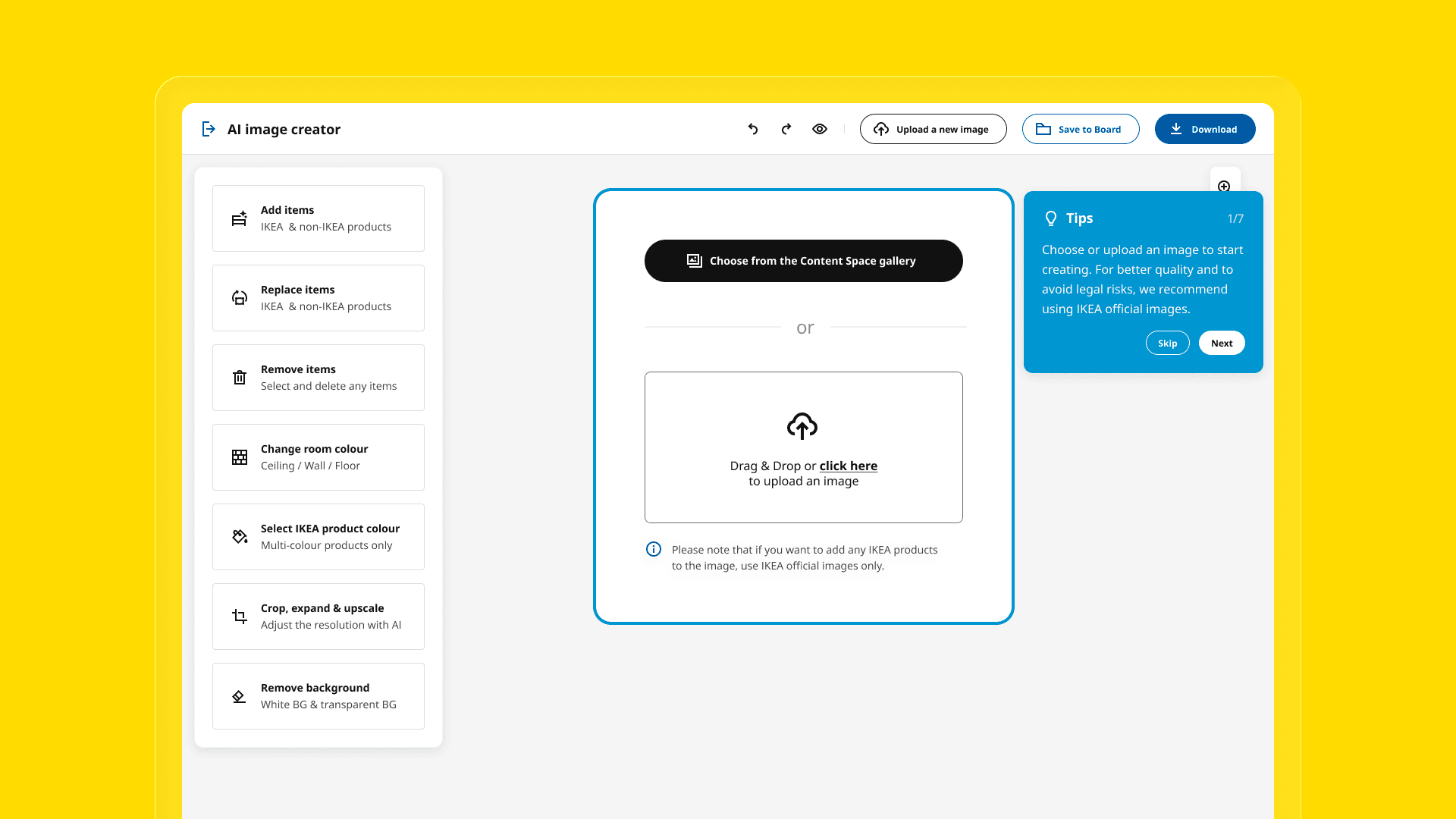
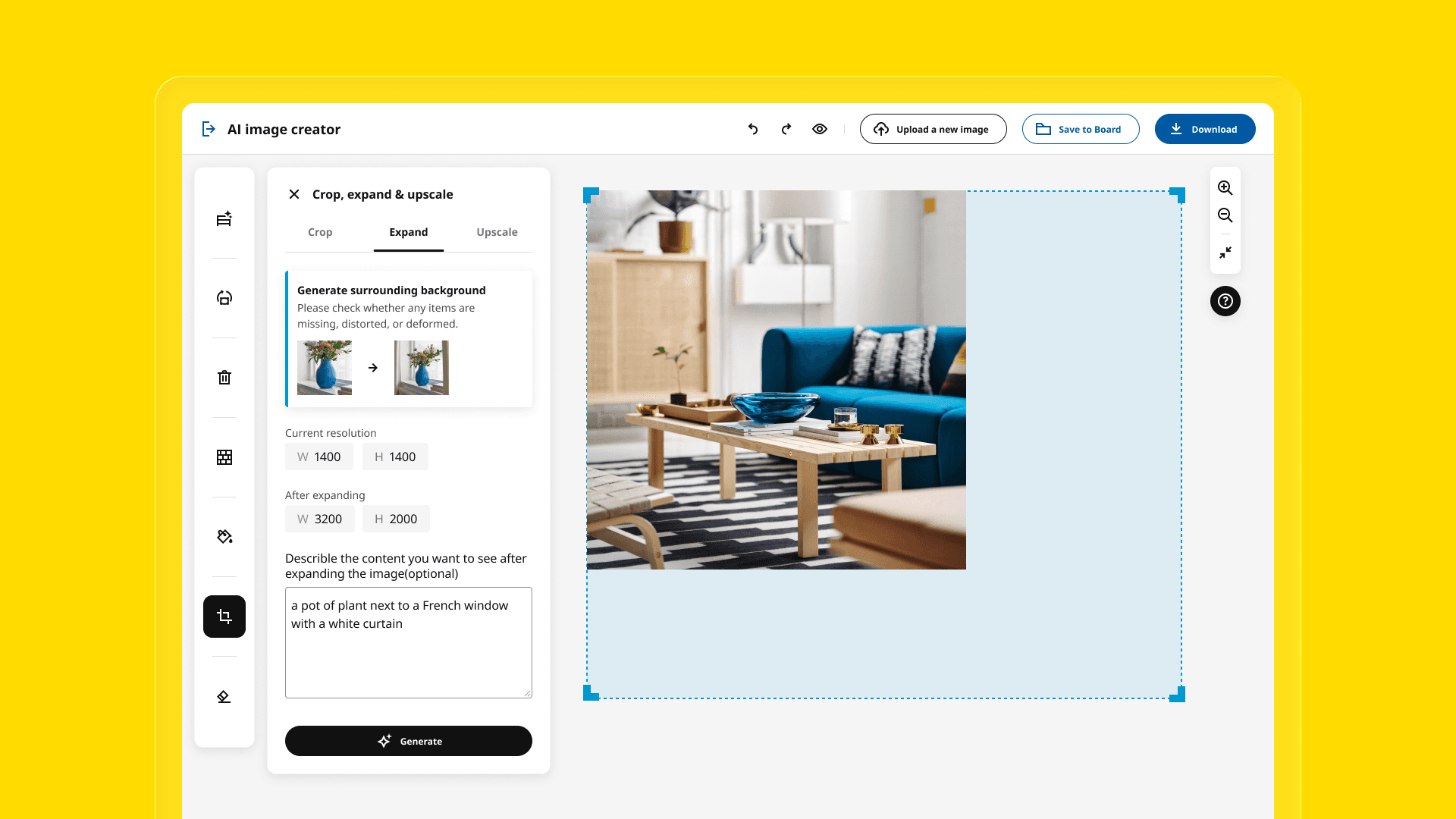
Through user research, I found that most employees had never used AI image tools, so certain concepts were difficult for them to understand (e.g., distinguishing between upscale and expand). To address this, I designed a comprehensive onboarding flow and added info cards to explain complex features.
Users are first shown the page layout and keyboard shortcuts. When they enter a feature panel, they see a short animation introducing the feature.
Onboarding
The cards show before-and-after example images and explain which actions to avoid to ensure compliance.
Info Card
Motion Design
I designed Lottie animations for the AI Image Creator, including image generating, image loading, save success, and save failure states.
Taking image generating as an example, through testing, I found that most images are generated within approximately 4 to 7 seconds. I used IKEA’s four brand colors to design this animation in AE and LottieFiles. Each object’s transformation symbolizes one feature (change color, crop, remove, and replace).